A Small Lab Test of Bingo 101 App Builds
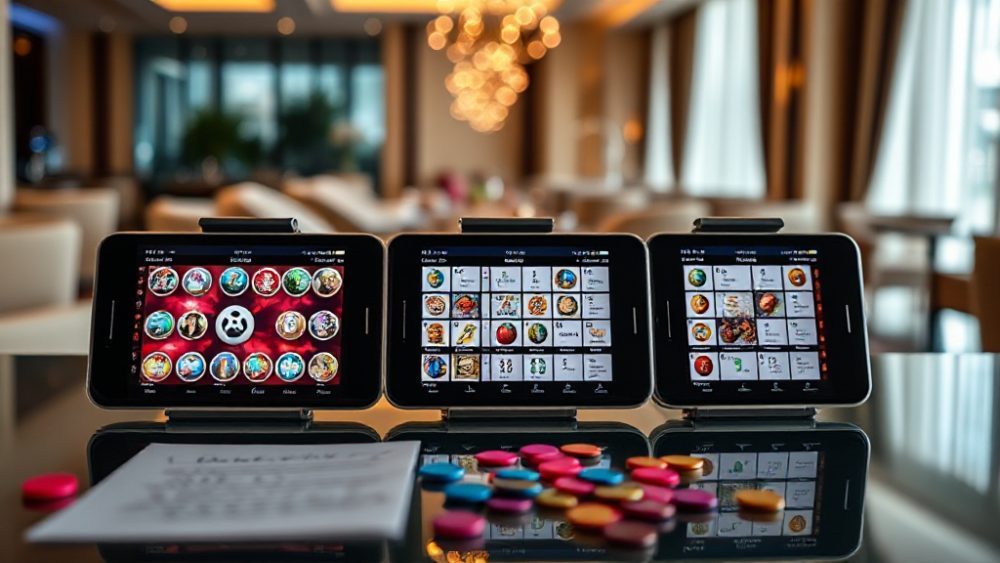
On a narrow bench in my workspace, three Android phones sit side by side, each running a different build of the same bingo app catalog entry. The purpose of this small test is not to crown a winner or publish a ranking. It is to show how a controlled comparison works when the subject is a Rummy Game Online catalog and the bingo builds listed inside it. The short answer to what this test is about: I wanted to see whether build-level details such as package size, version label, and source note produce visible differences on ordinary hardware before drawing any conclusion.
This is an illustrative exercise. The devices are not lab-grade, the sample is small, and the observations are descriptive rather than statistical. Still, the method matters because it keeps the comparison honest. Anyone browsing a listing hub can repeat the same steps with their own phone and their own shortlist of builds.
Setting the Bench and the Conditions
The test bench used three mid-range Android phones running the same operating system version, each freshly reset and connected to the same Wi-Fi network. I installed one bingo build per device from the same catalog source, then recorded installation time, first-launch time, and storage used after setup. No accounts were linked, no purchases were made, and no notifications were enabled beyond the defaults.
The conditions were deliberately boring: same charger, same screen brightness, same background apps disabled. A comparison only means something if the variables you are not testing stay fixed. I wrote the conditions down before touching any app, because memory is a poor record once several builds start blending together.
What Was Measured
- Installation time from tap to home screen icon
- First-launch time until the main menu was usable
- Storage consumed after the first session
- Visible differences in menu layout and label wording
- Source note shown in the catalog entry
These five items are simple and repeatable. They also match what a typical user actually notices when trying a new build for the first time. Deeper performance testing would need profiling tools and a larger sample, which this bench does not pretend to offer.
How the Builds Were Chosen
I picked a handful of bingo builds from a catalog grid that also lists card and tile games, including Bingo 101 APPS entries and neighbouring categories. The selection was not random in a strict sense; I chose builds that differed in version label and listed package size so the comparison would have something to observe. A shortlist that is too similar tells you nothing.
Each entry was checked for its source note before installation. A source note is the catalog’s short description of where the build comes from and what it is. It is not a guarantee, but it is a useful filter. If a note is vague, that vagueness is itself a data point worth recording.
Why Version and Size Labels Matter
Two builds of the same app can differ in ways that show up immediately: a larger package may include more bundled assets, while a smaller one may stream content on first launch. The version label tells you which build you are looking at, not which is better. Treating a higher number as automatically superior is a common mistake.
I recorded the label and size for every build before installation, then compared them with what the phone reported afterward. When the two figures disagreed noticeably, I noted it rather than explaining it away. Discrepancies are information.
Observed Differences During the Test
The first difference appeared before any app opened. Installation times varied enough to notice, and the larger builds consistently took longer to settle. That is expected, but it is worth stating because users often blame their phone when the real cause is package size.
The second difference was in first-launch behaviour. Some builds opened to a clean menu; others showed a short setup sequence before the menu became usable. Neither behaviour is wrong, but the sequence changes the first impression and the time-to-play figure. I logged both rather than averaging them into a single number.
Menu Layout and Label Wording
Menu layouts differed in small ways: where the play button sat, how categories were grouped, and how prominently the catalog’s own labels appeared. These are cosmetic differences, yet they affect how quickly a new user finds the main action. A tidy menu is not a performance metric, but it is a usability one.
Label wording also varied. Some builds used plain terms, others used shortened or stylised names. When a label was ambiguous, I checked it against the catalog entry rather than guessing. This is where a listing hub earns its keep: the entry gives you context the app itself may not.
Storage and Session Behaviour
Storage use after the first session ranged from modest to noticeably larger, tracking roughly with package size but not perfectly. A build that streams assets can start small and grow; a build that bundles them starts large and stays there. Neither pattern is a defect, but the pattern is useful to know before you commit space on a phone that is already full.
Session behaviour was stable across the builds I tested. No build crashed during the short session, and no build forced an unexpected download. That result is limited by the short duration, and I have noted it as such.
Where the Test Stops Being Useful
The limits here are real and worth naming. Three phones and a handful of builds cannot support claims about reliability, fairness, or long-term performance. The test also says nothing about how any build behaves after weeks of use, because it did not run for weeks. A short observation is a snapshot, not a verdict.
Another limit is the catalog itself. A listing hub such as 3Patti Apk Online and its related entries is a browsing and comparison surface, not an endorsement. The presence of an entry tells you it is listed, not that it has been independently audited. I treated every source note as a claim to check, not a fact to trust.
Common Mistakes This Method Avoids
The most common mistake in informal comparisons is changing two things at once: a new build on a new phone, then attributing the difference to the build. The second mistake is memory bias, where the build tried last feels fastest. Writing conditions and figures down before drawing conclusions prevents both.
A third mistake is treating a single bad launch as a pattern. One slow start can come from a background update, a weak network moment, or a cold cache. Repeating the observation under the same conditions is the only cheap way to tell a pattern from a coincidence.
Cautious Takeaways for Anyone Comparing Builds
The takeaway is not that one build beat another. It is that build-level details, recorded before installation and checked afterward, give you a repeatable way to compare entries in a catalog such as Rummy Yono Games APP listings or the bingo entries beside them. If you adopt one habit from this bench, make it this: note the version, size, and source note first, then install.
For users who browse broader catalogs, the same approach scales. The 3Patti Apps Onlines section, the 3Patti New All Apk entries, and the All Teen Patti Apks listings all present the same three fields, so the method carries over without modification. The All Rummy Game category and the Ok Rummy Games entries follow the same pattern, which makes side-by-side reading straightforward.
Where the catalog offers more detail, use it. The Online Rummy Apks listings and the MAX Rummy Online entries are useful examples of how version and size notes can be read together rather than in isolation. None of this replaces your own short test on your own device, but it narrows the shortlist before you spend time installing.
The bench will stay small, and that is fine. A comparison does not need to be large to be honest; it needs to state its conditions, record what happened, and stop where the evidence stops. That is the whole discipline, and it applies whether you are testing bingo builds or any other entry in a listing hub.